01
Discovery

We sit with the people doing the work and map how the business actually runs today — not how the process document says it does. Scope comes out of that.
- Stakeholder interviews
- System inventory
- Pain points ranked
- Success measures

CodeBuzzers designs and develops scalable ERP, CRM, business management and enterprise software solutions that connect people, processes and data.
Revenue
AED 4.74M
+8.2%
Customers
1,239
+64
Open Orders
297
+12
Projects
38
+3
Systems we design, build and connect
Almost no growing company decides to run on disconnected software. It accumulates. An accounting package arrives first because somebody has to invoice. A CRM is bought when the sales team outgrows a shared inbox. Inventory gets its own tool because the warehouse needed something that week. Each decision was sensible on the day it was made.
What accumulates alongside them is the work of holding them together — the exports, the re-keying, the person who reconciles two systems every Monday because only they know which one to trust. That work is invisible on any org chart and it scales faster than the business does.
Custom enterprise software development is not about replacing all of it at once. It is about deciding where the single source of truth lives, then connecting operations around it — ERP for what the business runs on, CRM for who it sells to, business process automation for the handoffs in between, and AI sitting across the result. One data model, one place the numbers come from.
That is the difference between buying business software and owning a system that matches how your company actually works.

What it looks like from the inside
The real system of record turns out to be a workbook on somebody’s desktop, and nobody else can see it.
Sales knows what was promised. Finance and operations find out after the invoice.
No queue, no audit trail, no way to answer who signed off and when.
A customer in three systems is three customers, and every report inherits the discrepancy.
Numbers assembled by copy-paste arrive late and get argued about instead of acted on.
By the time the picture is complete, the decision it was meant to inform has already been made.
Twelve systems, one platform at the centre, and defined routes between them. This is the shape we design toward — the exact modules in your build are decided in discovery.
Lead → CRM → Sales → Finance → Reporting
Who you sell to
What the business runs on
What it tells you
Across everything
All four groups read and write the same records. That single decision is what stops a business running on four disconnected tools.
Six problems that show up in every disconnected business, and the one structural change that removes them.
All six have the same root cause.
Systems that cannot read each other. Connect them to one platform and the problems stop being symptoms to manage — they stop occurring.
Finance, inventory, procurement, sales, operations, HR, projects and reporting as modules of one system — not eight products that happen to be owned by the same company.
Ledger, invoicing, payables, receivables and month-end — fed automatically by the transactions the rest of the business is already creating.
Modules are built to the operations you actually run. Nothing here is a fixed product SKU.
Receivables
AED 1.84M
Payables
AED 620K
Overdue
11
Recent activity
INV-20431 · Al Noor Trading
AED 128,400Approved
INV-20430 · Gulf Logistics
AED 76,900Sent
INV-20428 · Meridian Group
AED 244,000Overdue 6d
PO-8842 · Supplier payment
AED 58,200Scheduled
Sales orders become invoices without re-entry; payroll posts straight to the ledger.
A generic CRM models a company in the abstract. A custom one models your deal — the stages you actually run, the approvals you actually need, and the handoff to delivery and finance that comes after.
Deal pipeline
Stages are enforced, and leaving one requires a reason.
Account owner · avg. first response 14 minMost engagements start by connecting and extending what you have rather than replacing it. Tell us what is in place and we will map the gap.
Most operational drag is not one big broken process. It is fifty small handoffs that each need a person to move something from one system into another.
Trigger
An event the business already produces — a form, an order, a status change.
Decision
Rules and thresholds decide which path the work takes.
Automation
Records created, updated and routed without anybody re-typing them.
Approval
A human in the loop where judgement or liability requires one.
Action
The outcome lands where the work continues — and is logged.
One workflow, end to end
A lead arrives and is working its way to an owner before anyone opens a tab.
AI earns its place in an enterprise system when it reads across departments that were previously separate — and when its output is an action somebody can take, not a number on a slide.
“Which customers are most likely to renew this month?”
Reading from
Five systems, one answer
Renewal probability & recommended action
Renewal ready — send terms
Schedule review call
At risk — 3 open tickets
Escalate to account lead
Ask the business a question in plain language and get an answer drawn from live records rather than a stale export.
Invoices, POs, contracts and delivery notes read into structured fields instead of typed in by hand.
Patterns across finance, sales and operations that nobody has time to look for manually.
Demand, cash position and pipeline projections built from your own history, not a generic model.
Continuous scoring so the pipeline reorders itself as behaviour changes.
First-line answers grounded in your product data, with a clean handover to a person.
Classification and routing decisions that used to need somebody to read and judge.
Policies, SOPs and history made answerable, so expertise is not trapped in one person.
Narrative summaries of what changed and why, generated alongside the numbers.
Models are chosen per problem, not per trend — a tabular scorer where the data is tabular, a language model where the input is a document or a conversation. More on how we approach that in AI development.
Bring us what you already collect. We will tell you which of these are achievable now and which need a data foundation built first.
Almost no company needs all of these at once. The sequence — what gets built first, and what it has to connect to — is the part that decides whether the project succeeds.
The operational core
Finance, inventory, procurement and operations as one system, so a transaction entered once is visible everywhere it matters.
Modules
Configurable
Locations
Multi-site
Users
Role-based
An approval chain is an approval chain whether it is signing off a purchase order or a patient discharge. What changes is the data model, the rules and the vocabulary — which is exactly what custom software lets you change.
Property and unit records, lease cycles, maintenance workflows, agent pipelines.
Multi-location stock, POS integration, replenishment rules, customer loyalty data.
Appointment and resource scheduling, records access control, billing workflows.
Enrolment, timetabling, fee cycles, staff and student portals with scoped access.
Consignment tracking, route and fleet data, proof of delivery, partner integrations.
Bills of materials, production orders, batch traceability, quality checkpoints.
Case and client onboarding, approval chains, audit trails, document retention.
Engagements, timesheets, utilisation, project profitability, retainer billing.
These describe how the platform configures, not a claim of specialist domain expertise in every sector. We will tell you plainly in discovery where we have built something close before and where we would be learning your domain with you.
Operations, ERP, CRM, analytics, automation and administration — designed as one product family rather than modules bolted together over three years.
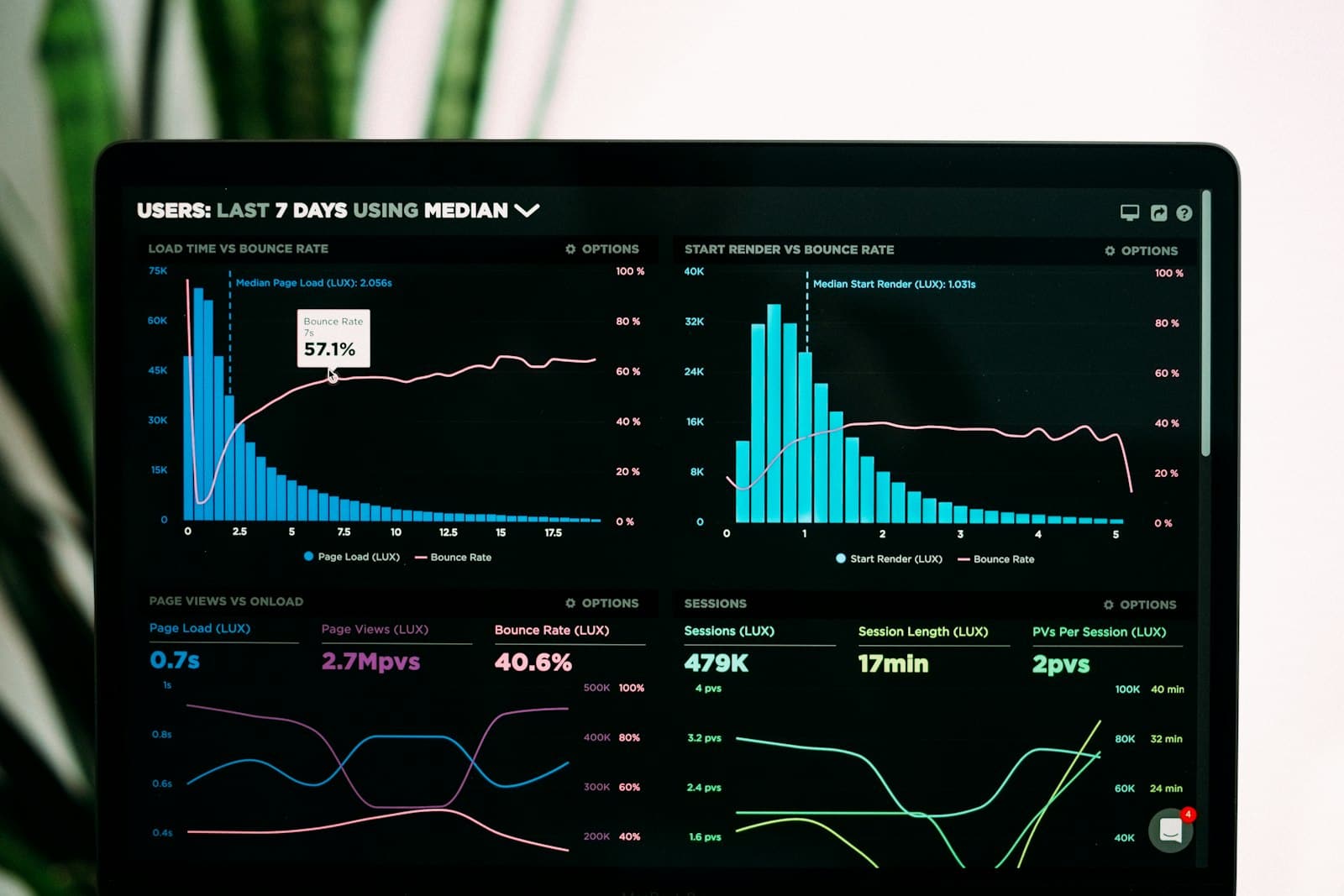
The one screen a managing director opens — revenue, orders, delivery and exceptions, drawn from every module rather than pasted together.

Finance, inventory and operations in one system.

Pipeline, accounts and activity against one customer record.

Reports that reconcile by construction

Triggers, conditions and approvals

Answers grounded in live records

Approvals and field work on a phone
Roles, permissions, configuration
The systems you are keeping
Photography is placeholder imagery for layout purposes and will be replaced with product screenshots from your build.
Approvals, field updates and the numbers a director checks on a Sunday evening — the same platform, sized for a phone rather than squeezed onto one.
Pipeline · Customer
My pipeline
18
Open
6
This wk
3
Won
Pipeline
Analytics · Approvals
Business overview
Revenue this month
AED 4.82M
Analytics
Tasks · Team
My tasks
Tasks
Nobody replaces everything at once, and nobody should have to. The systems you are keeping stay — the new platform talks to them.
Both systems stay correct, rather than one quietly drifting out of date.
Credentials held server-side, rotated, and never exposed to a browser.
Retries, dead-letter queues and alerts — a failed sync is visible, not silent.
Categories shown, not vendor endorsements. Specific platforms are confirmed against your stack during discovery.
Tiers in the order a request travels, and the concerns that cut across all of them drawn beside the stack rather than buried in it.
Enterprise software holds the things a business cannot afford to lose. These are the controls we engineer in as standard — each one verifiable in the delivered system.
Password policy, MFA and SSO where your organisation already runs an identity provider.
What a signed-in user may do, enforced on the server rather than hidden in the UI.
Roles mapped to your actual org structure, down to record and field level where needed.
Encryption in transit and at rest, with sensitive fields isolated from general queries.
Authenticated, rate-limited and versioned endpoints; secrets never reach the browser.
Who changed what, when, and from where — retained and queryable for investigations.
Scheduled backups with a restore procedure that has been rehearsed, not assumed.
Network isolation, least-privilege service accounts and environment separation.
This section describes engineering practice, not a certification claim. Where your procurement process requires a specific standard, data residency or audit position, we will tell you plainly what we can evidence and what would need a third party.
Eight phases. The first two are about your business, not our code — which is the part most enterprise projects skip and later pay for.
We sit with the people doing the work and map how the business actually runs today — not how the process document says it does. Scope comes out of that.
Processes documented, exceptions catalogued, and the decision made about which of them the software should enforce and which it should simply record.
Interfaces for every role in the system. Enterprise software is used all day by people who did not choose it — density, keyboard flow and error states matter more than novelty.

The data model and the integration map. Get this wrong and every feature after it is a workaround — which is why it is a distinct phase, not an afternoon.

Built in slices that are demonstrable, not modules that appear at the end. Your team sees working software early enough that feedback still changes something.
Functional, performance, permission and integration testing — plus the enterprise cases that break systems: concurrent edits, partial syncs, period-end volume.

Data migration from whatever you run now, environment cutover, monitoring in place before traffic arrives, and a rollback that has been rehearsed.
The first release is where the real requirements show up. Ongoing iteration, new modules, and the maintenance that keeps the platform patched and supported.
Stated as shifts rather than statistics. We would rather you test these against your own operation than take a number from a landing page.
Re-typing between systems
Entered once, used everywhere
Numbers assembled on request
One live view of the business
Waiting on a report
Answering from the system
Departments in separate tools
One record everyone reads
Three versions of a customer
One source of truth
More volume needs more admin
Volume grows, headcount does not
Chased by email
Routed, timed and logged
Answers require a callback
History available on the call
No performance figures are published here. Once a system has been live long enough to measure, the numbers belong in a case study with the client's name on it — not on a marketing page.
Honestly: it depends, and anyone quoting a figure before seeing your operation is guessing. What does not vary is which decisions move the number. These are them, roughly in order of impact.
One department, one problem
A focused system replacing a spreadsheet or a manual process — the fastest route to something real in production.
Priced against your scope after discovery — no published figure would survive contact with your requirements.
Several departments, connected
Operations and customers on one data model, with the handoffs between them automated rather than manual.
Priced against your scope after discovery — no published figure would survive contact with your requirements.
The business runs on it
A full operating system for the company — multi-entity, multi-role, AI-assisted, with a roadmap that continues after launch.
Priced against your scope after discovery — no published figure would survive contact with your requirements.
One department is a project. Finance, inventory, sales and HR together is a programme.
Exceptions, approval chains and rules that vary by branch or entity drive more scope than feature count.
Costing methods, multi-entity consolidation and period close are each substantial in their own right.
A pipeline is small. Territory rules, quoting, commissions and forecasting are the real work.
Each external system is its own contract, edge cases and failure handling.
An assistant over existing data is modest. Trained forecasting depends on the data you already hold.
Whether field and approval workflows need native apps or a responsive web app is a real fork.
Permission depth, not headcount — record-level access costs more than a large user count.
Data residency, audit position and the standards your procurement process requires.
Availability targets, environments, disaster recovery and the running cost that follows.
Operational reports are routine. Consolidated, drill-down and scheduled reporting is a workstream.
What has to be migrated, what has to be kept alive, and for how long both run in parallel.
Bar lengths indicate relative impact on scope, not price. They are a planning aid, not a quotation.
Walk us through how your business operates, what your teams do by hand, and which systems have to stay. We will come back with a scope, a sequence and a figure tied to both.
Businesses in Dubai tend to grow in a particular shape. A trading company adds a second line, then a branch in another emirate, then a free-zone entity for a different activity. Each step happens quickly and each one arrives with its own spreadsheet. By the time somebody asks for a consolidated view of the group, the answer lives in six places and nobody agrees on it.
That is the specific problem enterprise software development in this market has to solve — not simply digitising a process, but holding a structure together while it keeps changing. Custom business software in Dubai has to assume new entities, new branches and new activities are coming, because they usually are.
It is also a mobile-first operating environment. Approvals happen from a phone between meetings, field teams update jobs on site, and directors check the numbers on a Sunday evening. An ERP that only works properly on a desktop in the office is an ERP that gets worked around within a month.
Most of what we are asked to fix falls into the same three categories: departments running on tools that cannot read each other, reporting assembled by hand, and approvals with no audit trail. ERP development, CRM development and business automation in this market usually start by fixing those before anything more ambitious is worth building.
We build these systems end to end — custom ERP and CRM, workflow automation, portals, AI enterprise software, and the cloud infrastructure underneath them, for businesses across the UAE and further afield. If you would rather talk it through than read about it, get in touch.
Market statistics are intentionally left blank. Each slot below carries a figure only once it can be attributed to a named, verifiable published source.
—
Market indicator
SOURCE PENDING
—
Market indicator
SOURCE PENDING
—
Market indicator
SOURCE PENDING

Not claims about being the best — capabilities you can interrogate on a call and hold us to during delivery.
The first phase is spent with the people doing the work, not writing code. We map how the operation actually runs, where it breaks, and which exceptions matter — because scope built from a feature list rather than a process is scope that changes three months in.
The data model is designed for the relationships your business actually has — entities, branches, approval chains, costing rules. That decision is made deliberately in a dedicated phase, because everything built afterwards either fits it or works around it.
Scoring, forecasting and document understanding are planned against the schema during architecture rather than bolted on later. That is why they can ship as part of the platform instead of becoming a second project.
Approvals, field updates and dashboards on a phone are treated as part of the system, not a later port. One team, one data model, one release cycle across both.
Environments, deployment pipelines, monitoring and backups are set up before launch traffic arrives, and the restore procedure is rehearsed rather than assumed.
The first release is where the real requirements surface. Ongoing maintenance covers dependency and security patching, performance as data grows, and a roadmap that keeps the platform useful for years.
Three engagement patterns we run repeatedly — the problem, the structural fix, and the stack it was built on.
Conceptual reference projects. These describe the architecture and sequence we apply, not delivered client engagements. Project names and result metrics are marked placeholders and will be replaced with verified figures from real, permissioned case studies.
Distribution & trading group
Several trading entities running separate accounting files and a shared inventory spreadsheet. No consolidated view of the group, and stock committed in one entity invisible to another.
A single ERP core with multi-entity separation, shared inventory across locations, and consolidation at group level. Sales orders reserve stock at the point of confirmation rather than at dispatch.
Professional services firm
Sales worked from a CRM, delivery from spreadsheets, and finance from an accounting package. Project profitability was only known after invoicing, by which point it could not be influenced.
CRM and project delivery on one data model, with timesheets feeding both project costing and payroll. Utilisation and margin became live figures rather than a month-end exercise.
Multi-branch retail operation
Branch managers submitted daily figures by message. Replenishment decisions were made on stale data and approvals had no audit trail.
A branch operations platform with mobile approvals, automated replenishment rules and a consolidated dashboard, integrated with the existing POS and accounting systems.
Want to talk through something closer to your own operation? Start a conversation
Code Buzzers from India did a splendid job on our website and Google marketing. Even though we are based in Australia and they are in India, Bikram and his team were extremely responsive and kept me updated with daily progress calls. Their professionalism, dedication, and quality of work exceeded my expectations. Highly recommended!
The level of professionalism and quality at CODEBUZZERS TECHNOLOGIES is unmatched.
Amazing mobile app design and development team. They understood our requirements perfectly.
The UI/UX design they created for us is user-friendly and intuitive. Great job!
Very impressed with CODEBUZZERS TECHNOLOGIES. They are reliable and consistently deliver exceptional results.
Very satisfied with the work done by CODEBUZZERS. They are true professionals!
The questions businesses ask us most often, before the first call.
Enterprise software development is building custom systems that run a company's core operations — ERP, CRM, business management, workflow automation and the reporting on top of them. The distinguishing feature is not size but connectedness: enterprise software models processes that cross departments, so the same record is read and written by finance, sales, operations and management rather than living in one team's tool.
There is no single figure, and any company quoting one before seeing your operation is guessing. Cost is driven by how many modules are in scope, how complex your business rules and approval chains are, how many external systems have to be integrated, whether mobile applications are needed, and what your security and reporting requirements are. A focused single-department application is a fundamentally different budget from a multi-entity ERP with CRM, automation and AI. We scope it during discovery and give you a figure tied to a written scope and a release sequence.
A well-defined first phase — typically one core area such as finance or inventory, plus an admin console and basic reporting — usually runs a few months. A full multi-module ERP with integrations, migration from existing systems and mobile access runs considerably longer, and we build it in demonstrable slices rather than disappearing until the end. The timeline is agreed after architecture, once the data model and integration list are known rather than assumed.
Yes, and for many businesses we recommend it over bending a generic CRM into shape. A custom CRM can model your actual sales process — your stages, your approval thresholds, your quoting rules, your commission structure — and share the customer record with finance and delivery rather than syncing to them. We build lead capture across channels into one deduplicated inbox, rule-based assignment, an enforced pipeline, follow-up SLAs and communication logged against both the contact and the deal.
Yes. This is one of the most common reasons businesses come to us. The integration can be a two-way sync between systems you are keeping, or — more robustly — a single platform where CRM and ERP are modules over one database, so a customer, an order and an invoice reference the same records rather than copies of them. Which approach fits depends on what you already run and how much of it you intend to keep.
Yes. Accounting packages, payment providers, email and messaging platforms, cloud storage, analytics tools and third-party APIs are all standard integration work. We build two-way syncs where both systems need to stay correct, with authentication held server-side, retries and dead-letter handling for failures, and alerting so a broken sync is visible rather than silent. Nobody replaces everything at once, and the platform is designed on that assumption.
Yes — into a new build or on top of a platform you already run. Practical starting points are document processing for invoices and contracts, lead and risk scoring, demand and cash forecasting, an assistant that answers questions from live business data, and automated summarisation of reports. What is achievable on day one depends on the data you already hold and how clean it is, so we audit that before promising a model.
Yes, and for most businesses it must. Approvals, field updates, stock counts and management dashboards are the parts people need away from a desk. We build these either as responsive web applications or as native iOS and Android apps depending on whether you need offline tolerance, camera and scanning, or push notifications. It is designed alongside the platform rather than ported to mobile afterwards.
Yes. We build cloud-native applications on AWS and Google Cloud, with environment separation, CI/CD pipelines, monitoring and alerting, scheduled backups and a rehearsed restore procedure. Where a business needs on-premise or hybrid deployment for data residency or policy reasons, that is a scope decision we make in architecture rather than a limitation.
Yes. Enterprise platforms are long-lived systems with real money and real obligations moving through them; they need an owner after launch, not just at it. Ongoing maintenance covers monitoring and alerting, dependency and security patching, performance tuning as data volume grows, and continued feature development against a roadmap. Support arrangements are agreed to the response times your operation actually requires.
Yes. We work with businesses across Dubai and the wider UAE, as well as clients internationally. For this market that usually means designing for multi-entity and multi-branch structures from the start, Arabic and English interfaces, AED alongside foreign currency, and mobile-first approval workflows — because businesses here tend to add entities and locations faster than the software was originally scoped for.
Tell us how your business operates, where your teams lose time, or which systems need to be connected. We'll help you design the right software architecture.
Prefer a written brief? Contact the team.